
PVC Robot
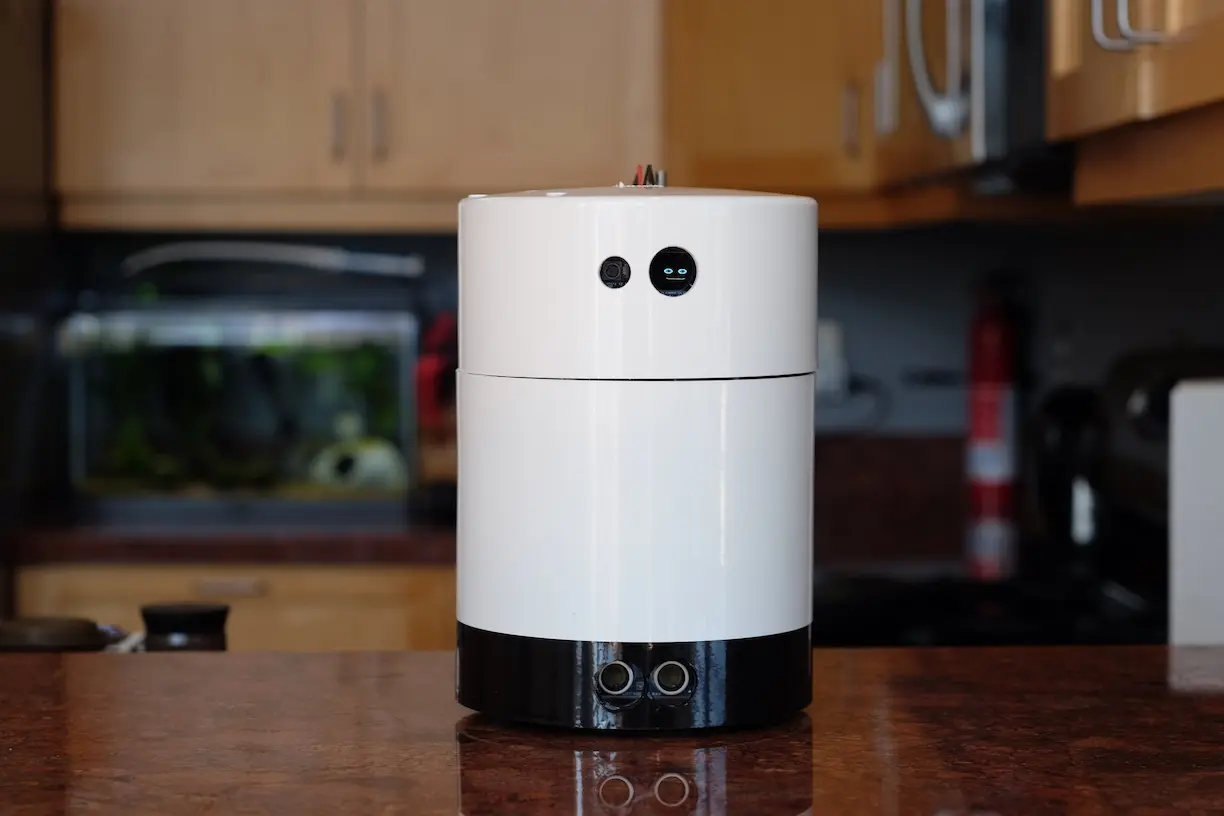
Design Brief
This story starts with a drawing that my daughter Claire created of a little robot that she received as a gift for Christmas. That drawing turned into a conversation on a long car ride. We talked about how she imagined interacting with her little robot and the things that it could do. Along the way I suggested that maybe if we were clever we could design and create our own house robot. We discussed various characteristics that it could have, what it might look like and what it could do.
I wanted to build a robot, self contained and mobile, with voice interaction and computer vision. Claire wanted a robot that has a vacuum and an arm.
Our Robot Goals
- Has an arm
- Has a vacuum
- Can Listen
- Can Speak
- Can See
- Can Move
Design Documentation
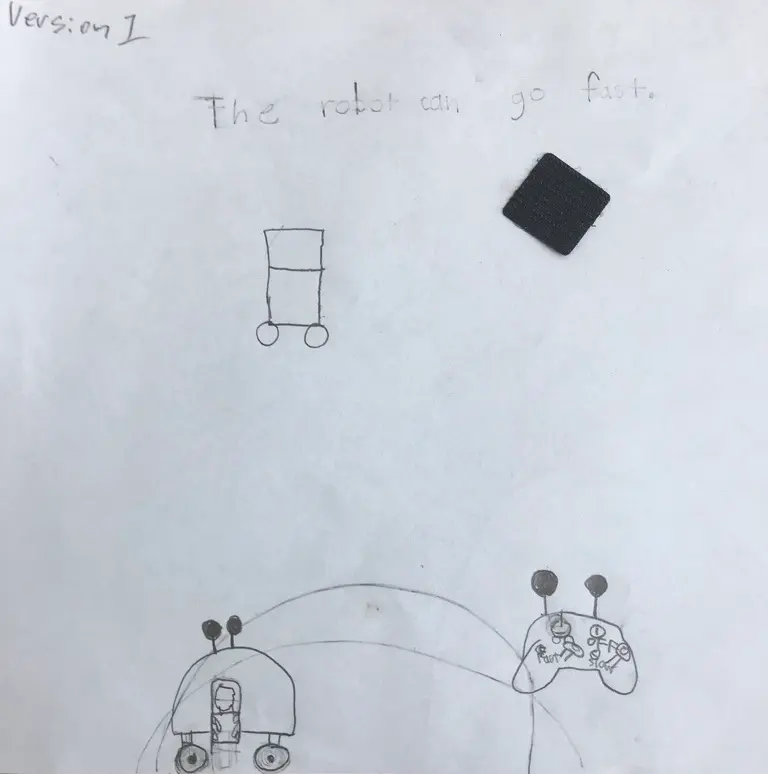
Version 1.0 design: The robot can go fast and has a remote control. Drawing by Claire.
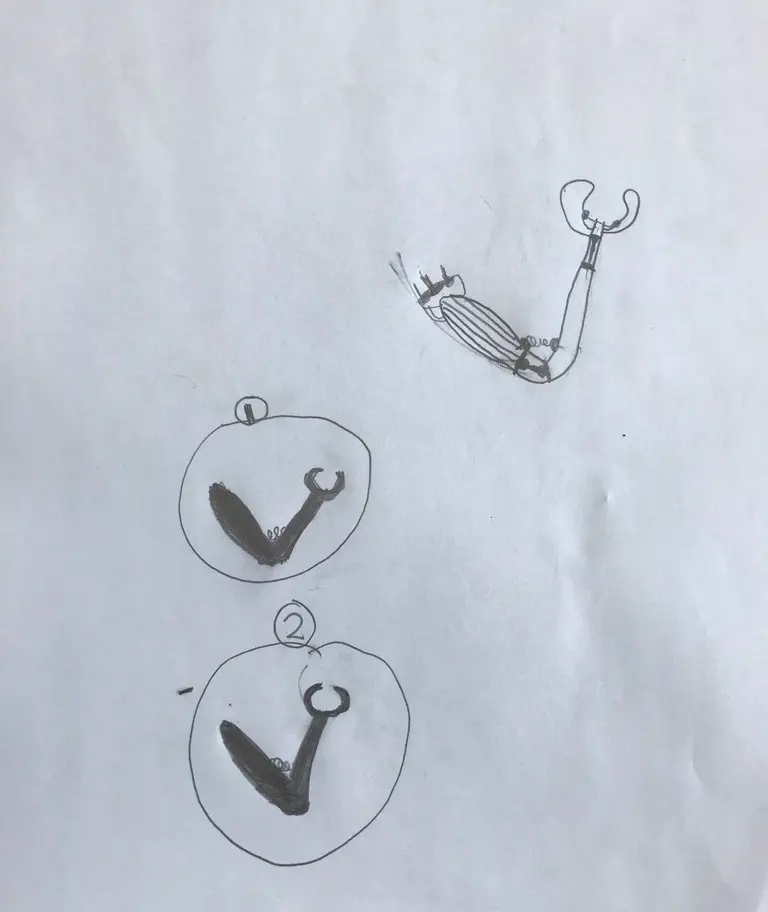
Detailed robot arm design and schematics by Claire.
Construction
The robot is simple and made of materials available easily found at a hardware store. It is constructed from PVC pipe, lexan and aluminum stock.
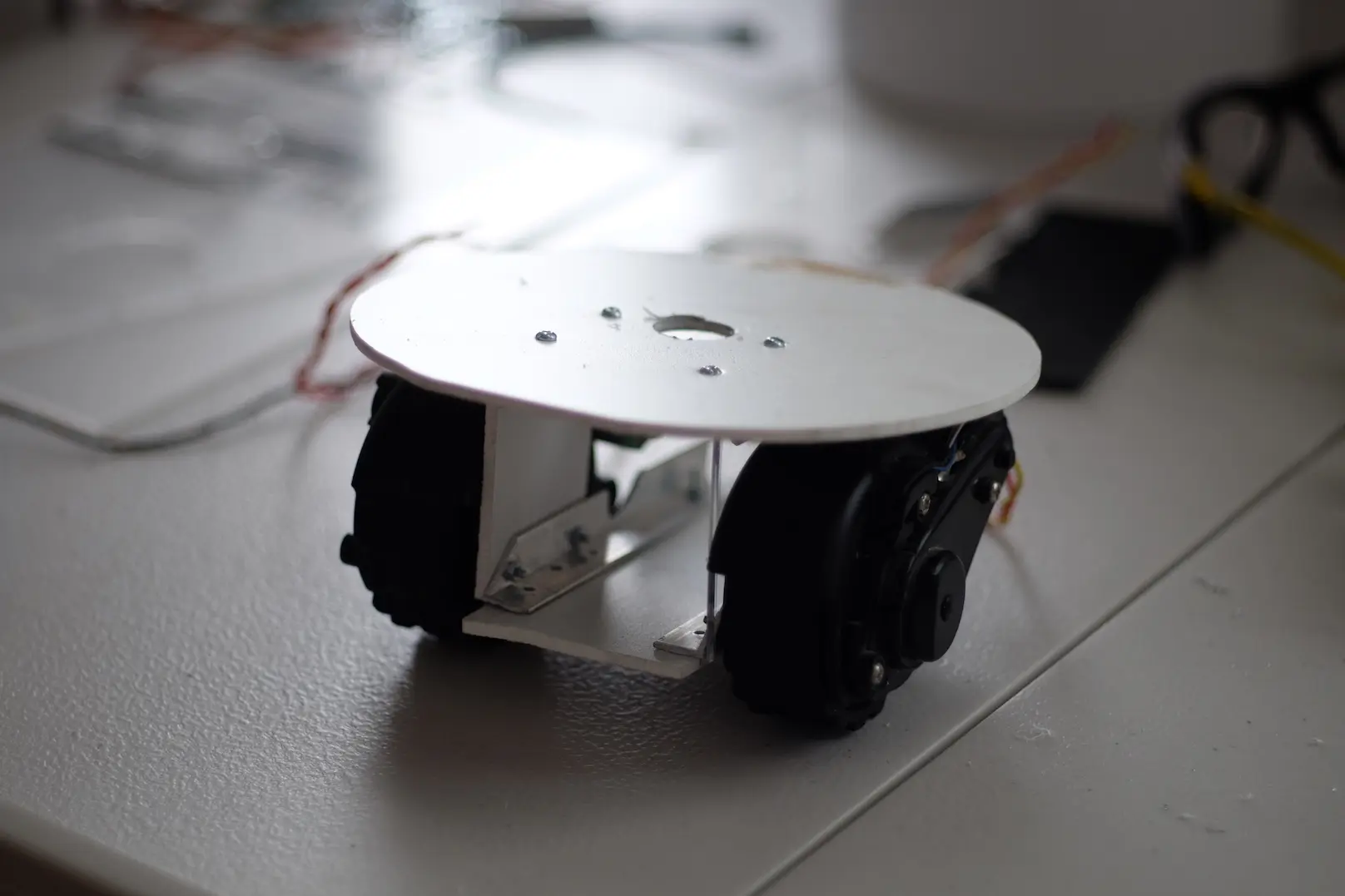
The chassis is a simple tank drive / caster setup using two optically encoded motors from a first generation Roomba.
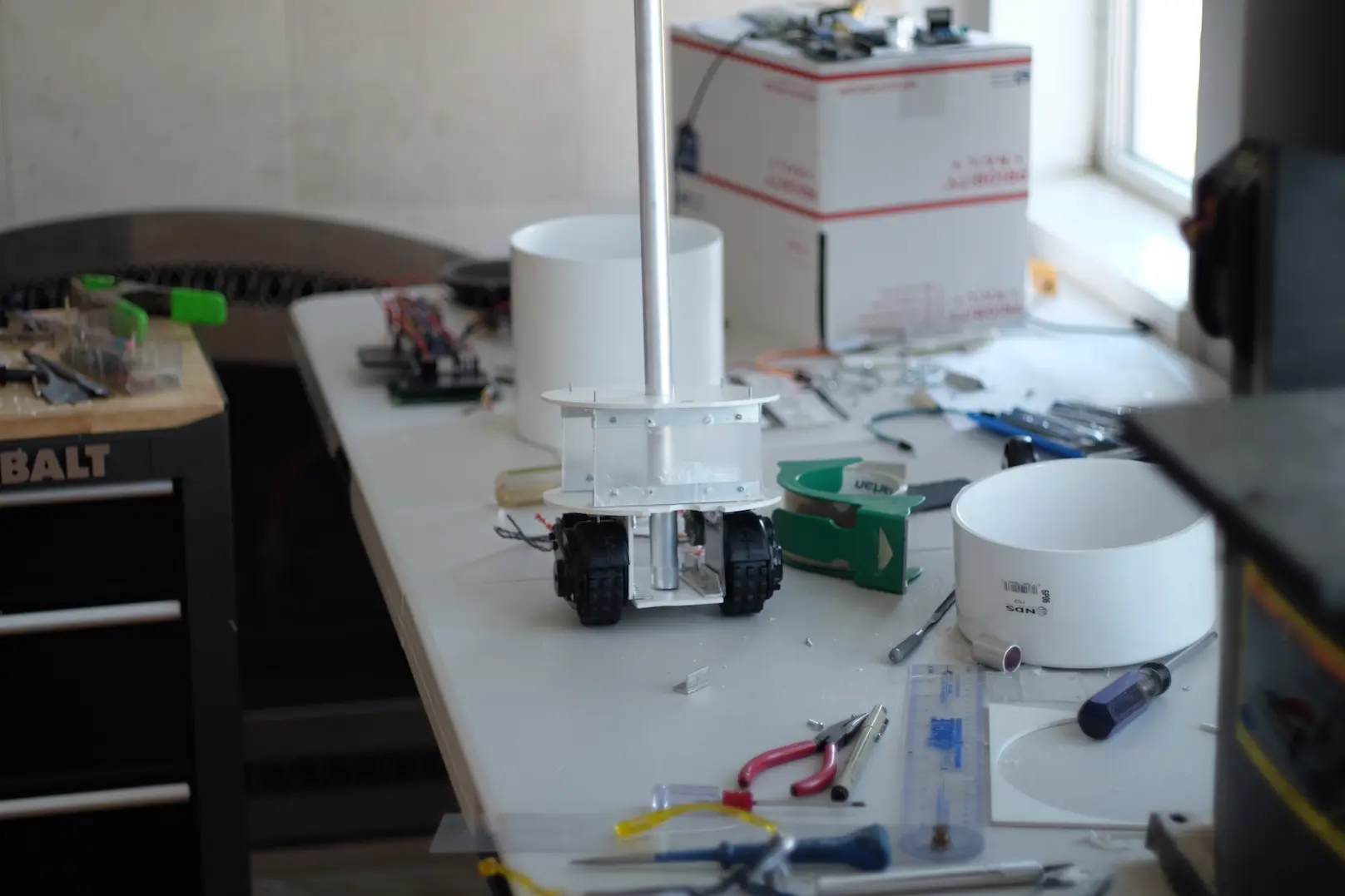
The robot will have a head unit that can rotate roughly 90 degrees independently of the robot's body
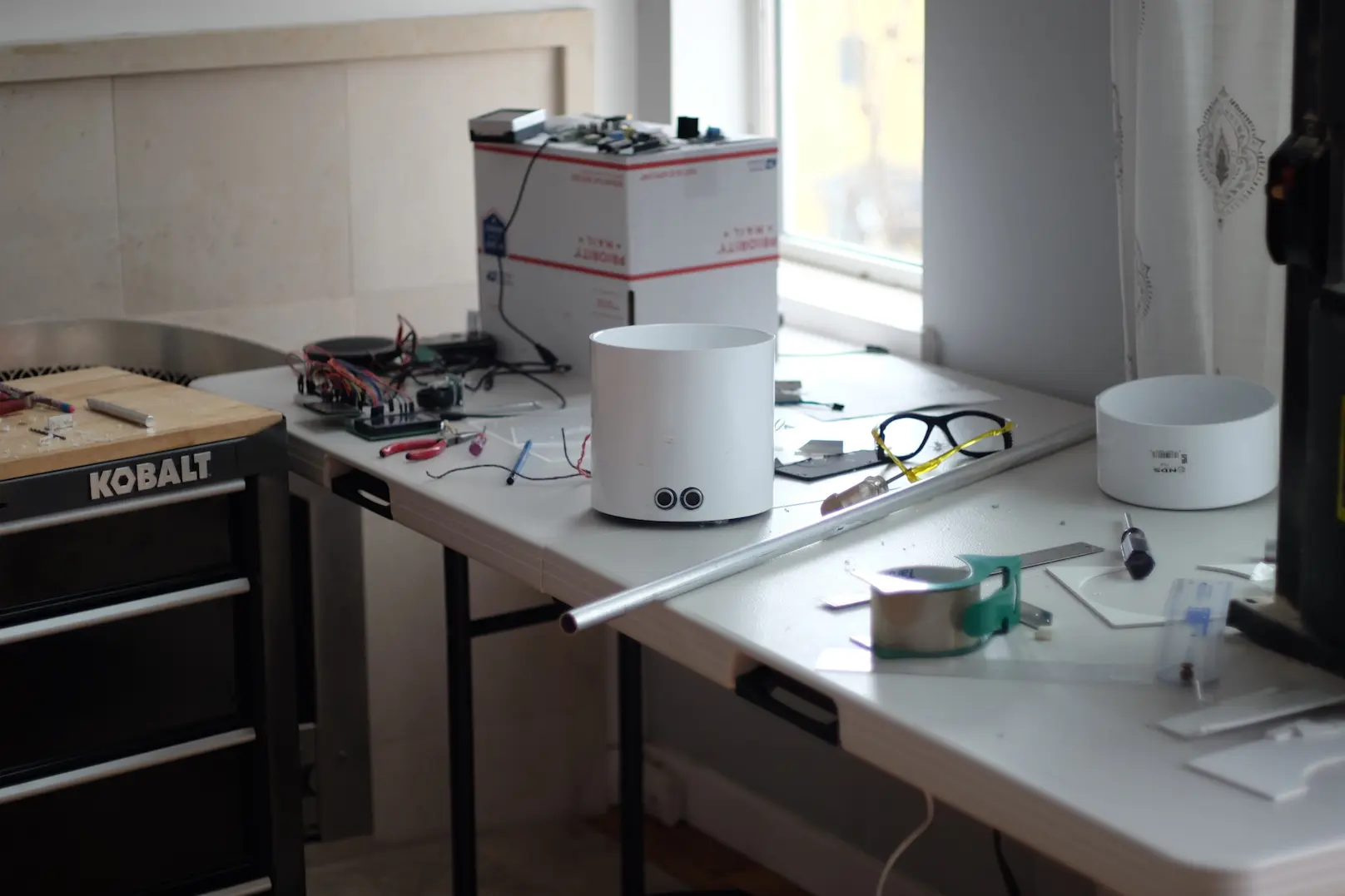
The robot will use a simple ultrasonic distance sensor to detect obstacles. You can see the PVC cap that will become its head-unit sitting on the right.
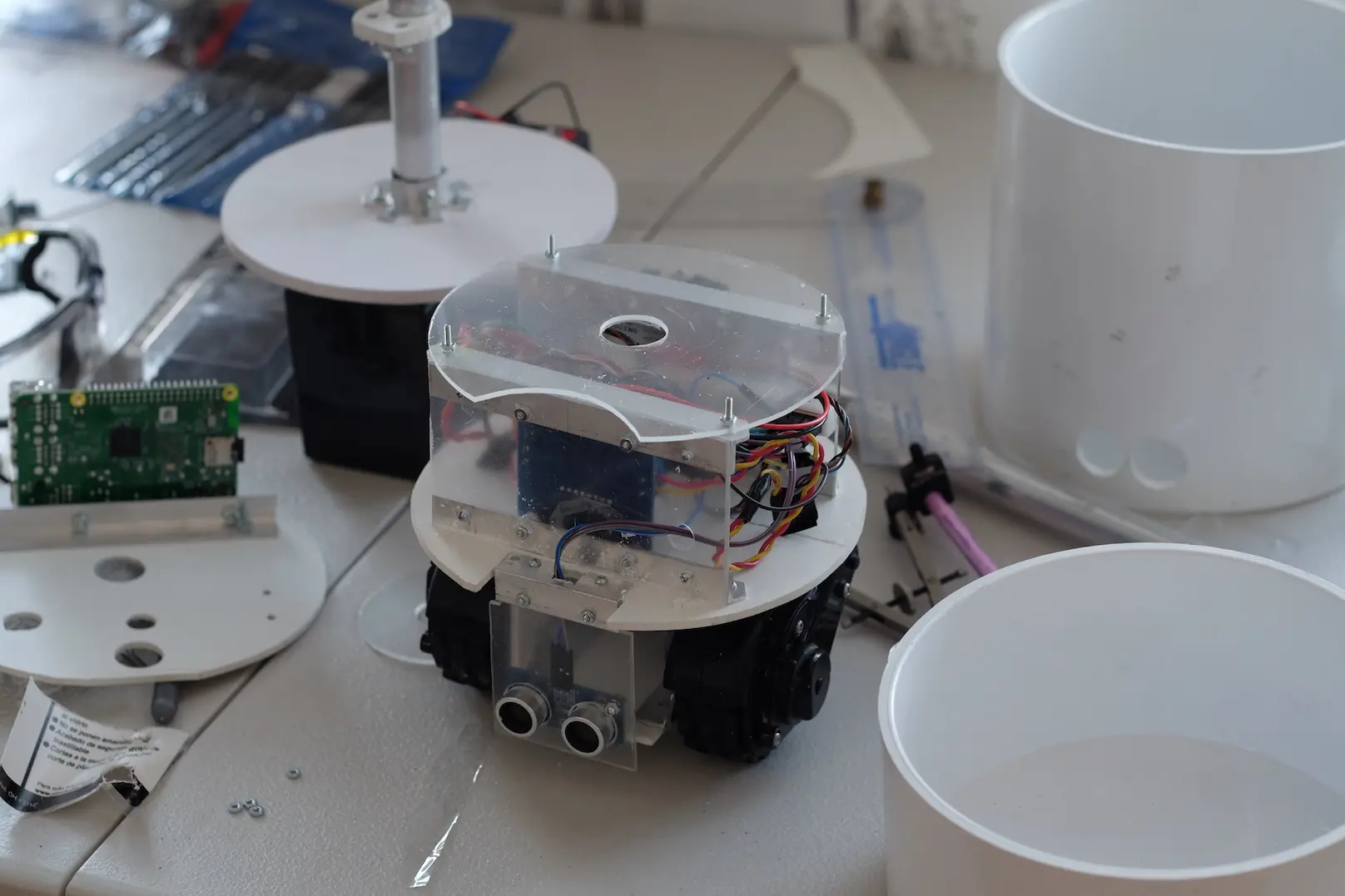
Here is the completed chassis sitting on the workspace.
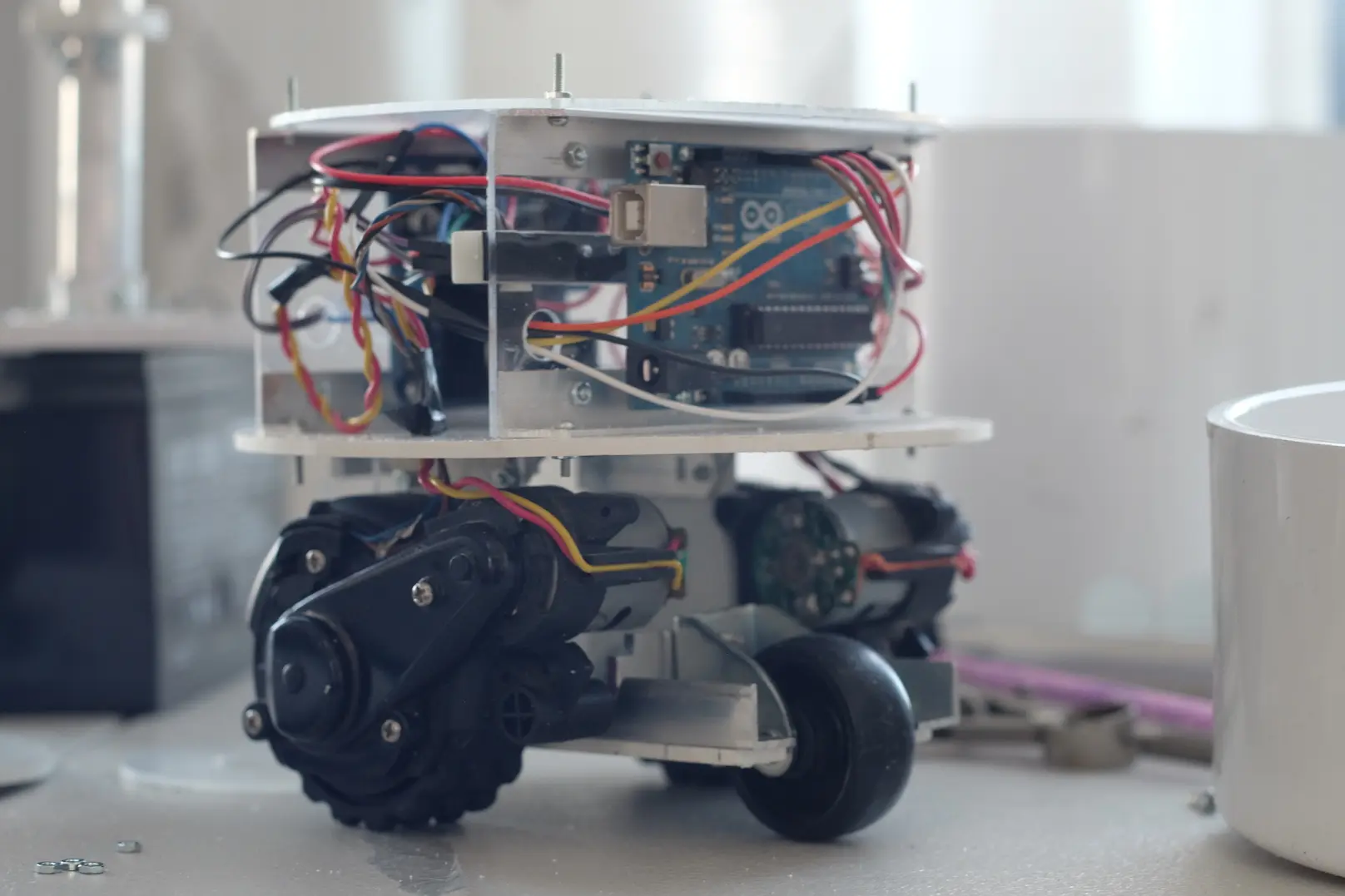
An Arduino is used to control the motors via a simple motor controller board, read the motor encoders and measure distance with an ultrasonic sensor.
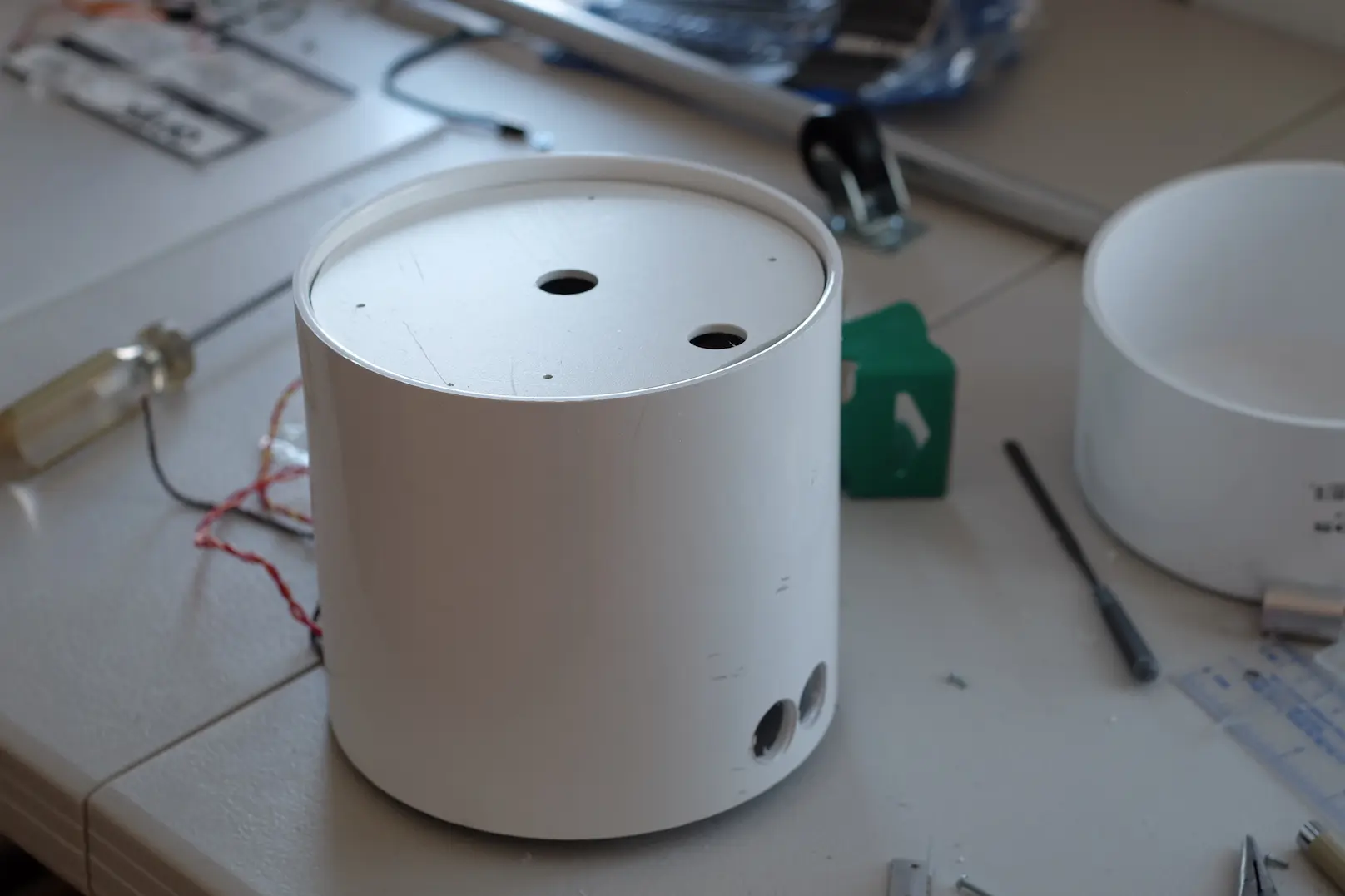
Everything fits nicely into a six-inch PVC pipe junction.
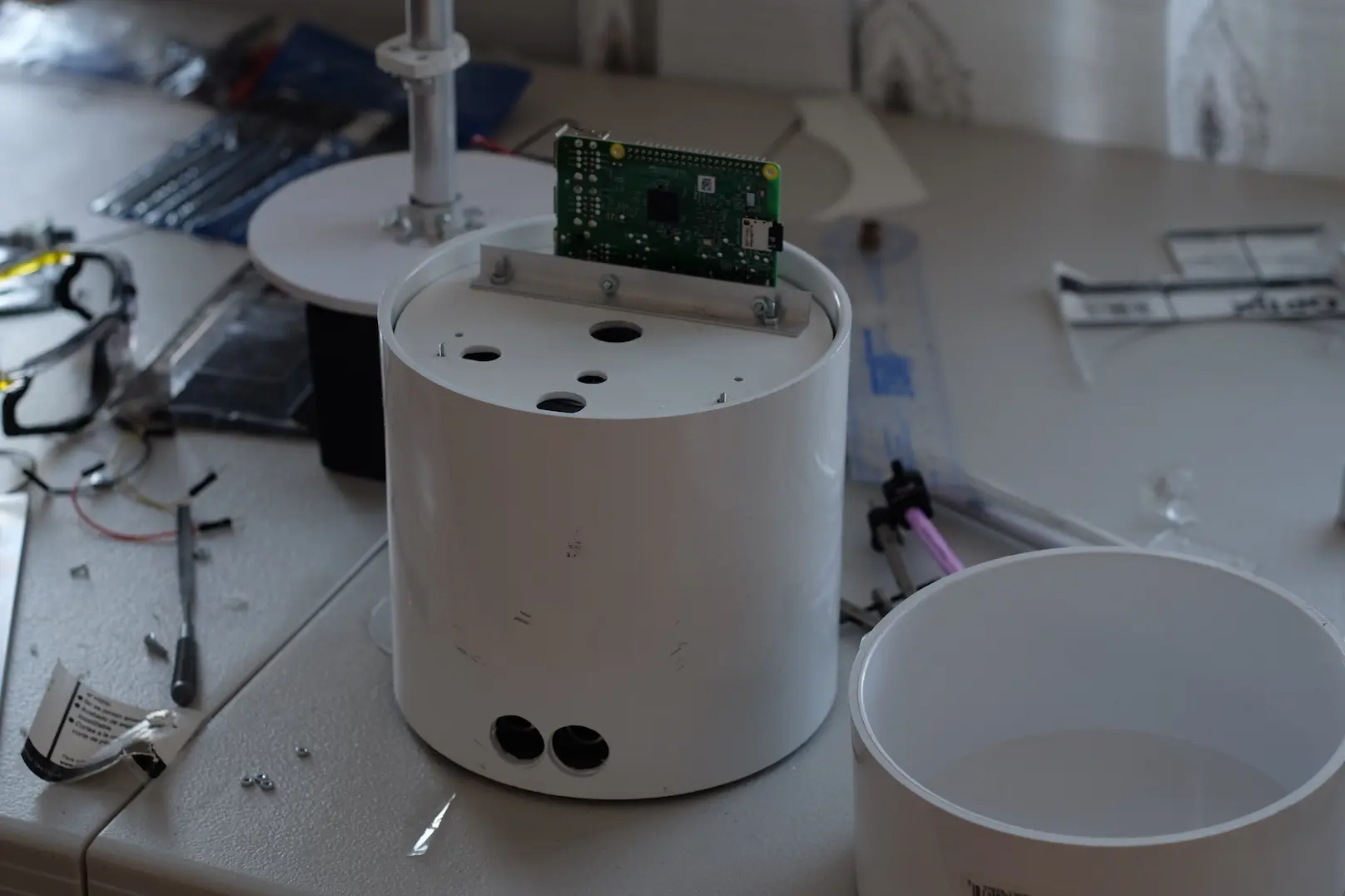
A Raspberry Pi takes care of sensing, networking and all other interactions.
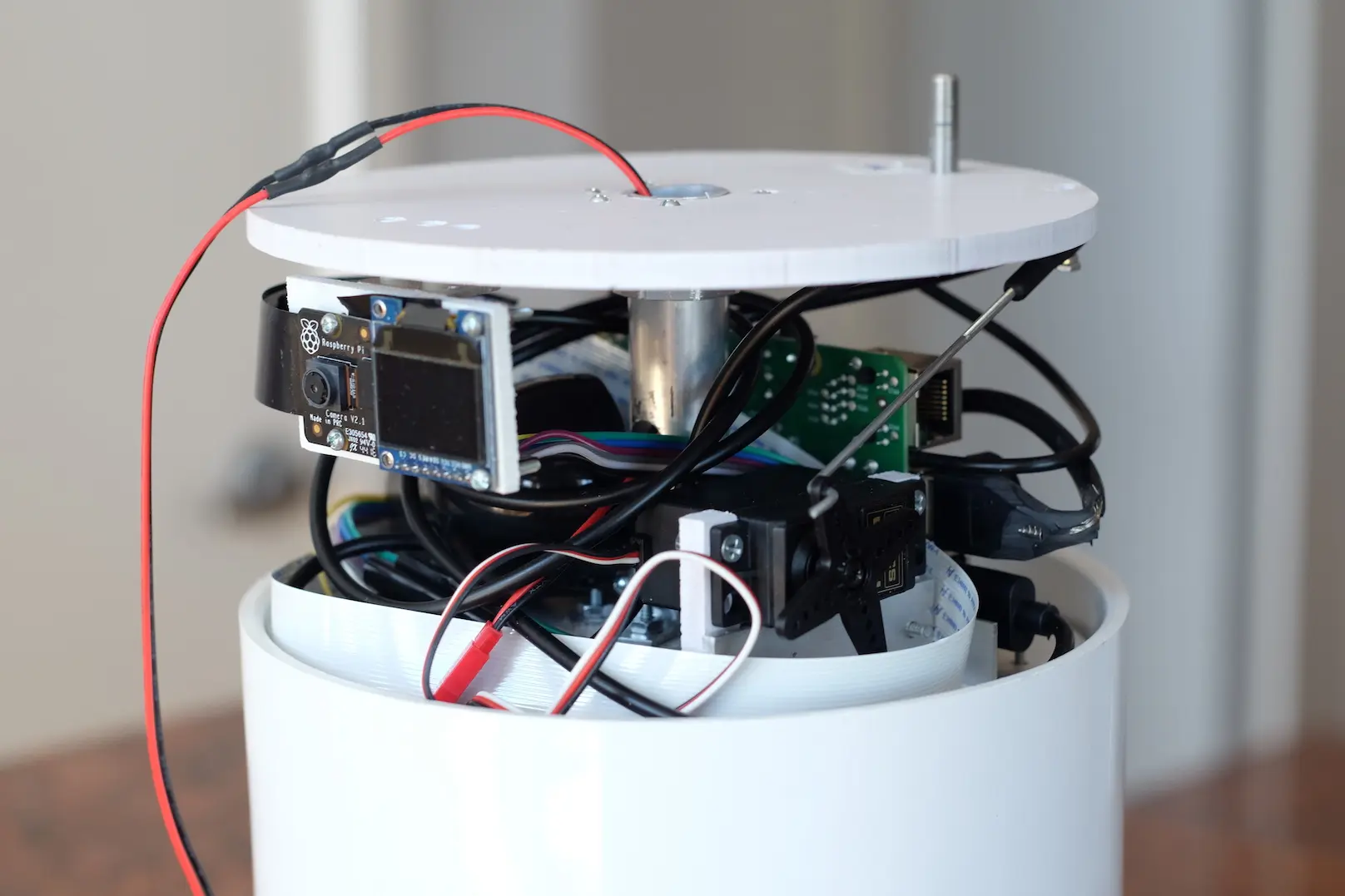
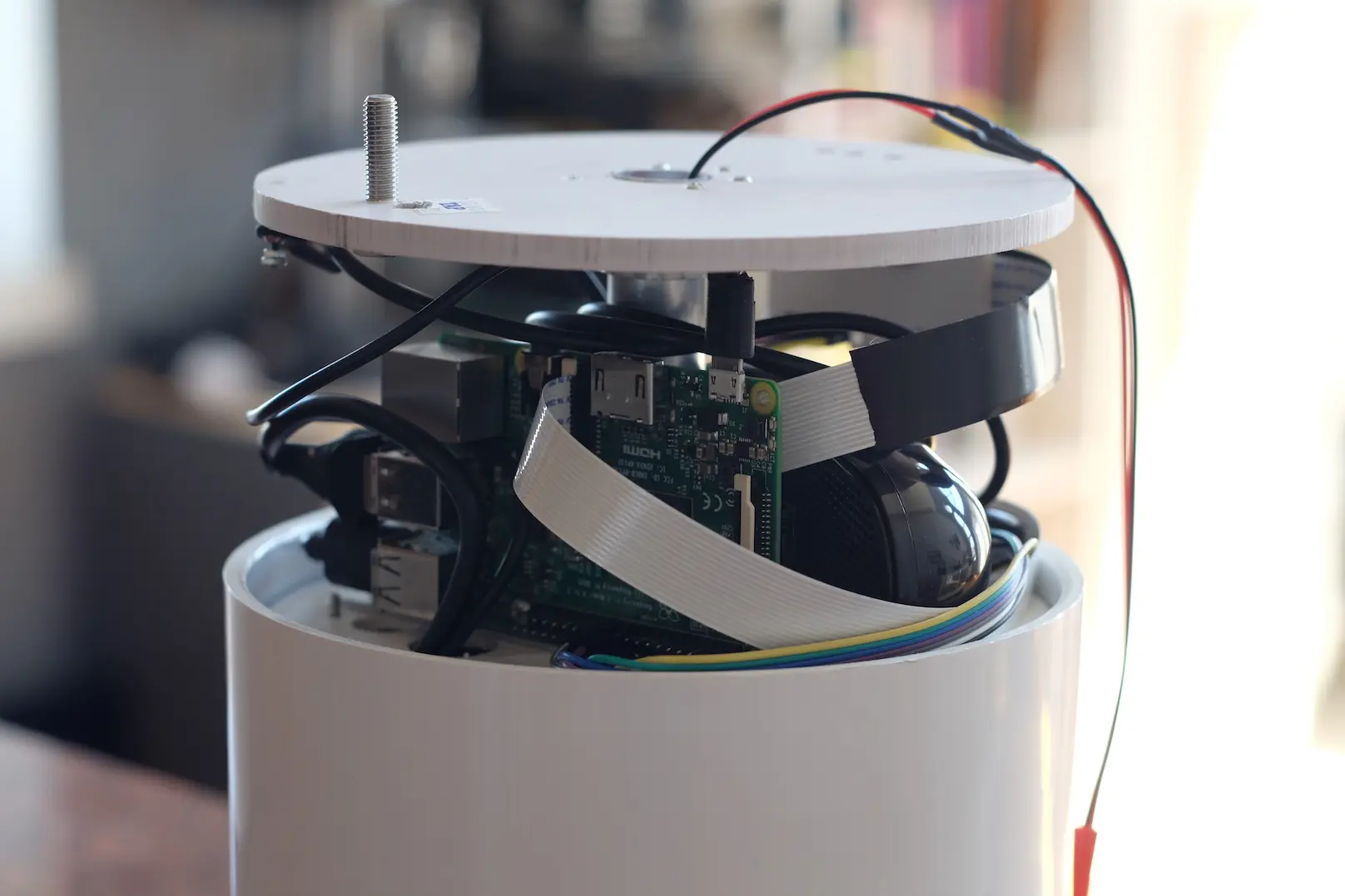
Inside the head unit you can see:
- Color OLED screen
- Rasperry Pi
- Rasperry Pi Camera
- Head rotation servo
- USB Speaker
- USB Microphone
Development
Motor controller
I created a simple loop for the Arduino that reads commands from the serial port and detects changes in the optical sensors via an interrupt.
Eyes
Detect a face using OpenCV and react to it
Ears
Snowboy, a hotword detection engine is used to listen for the robot's name and forward the audio to the Google voice to text service. The robot will respond if the response matches any of its commands.
Mouth
eSpeak TTS is used for the robots voice. eSpeak is a compact open source software speech synthesizer for English and other languages.
Face
luma.oled is used to control the OLED and create a "happy" face for the robot.
Testing
| Feature | Pass / Fail | Quality | Conclusion |
|---|---|---|---|
| Move Body | Pass | D | Motion commands are disregarded |
| Move Head | Pass | C | Head motor is very noisy |
| Detect Name | Pass | C | Speaker must be very loud |
| Detect People | Pass | D | Is very slow to detect |
| Following | Pass | D | Can follow a very patient person |
| Understand Commands | Pass | C | Response from VTT is slow |
| Robot Speech | Pass | D | Sounds like a robot |
| Display interactive face | Pass | B | Face is responsive and animates nicely |
| Intelligence | Fail | F | Does not appear to be intelligent |
| Engagement | Fail | F | Does not appear to be engaging for children or adults |
Important things that we learned
Give the robot a nice name
I started out using the name PVC for this robot thinking that it was a clever play on the acronym for polymerizing vinyl chloride. Once I had generated a model for the keyword recognizer and began to work on connecting it to the robot's code I quickly discovered that calling PVC to get its attention gets tiresome fast. At one point my daughter Claire yelled across the house at me to stop repeating the robot's name.
Acknowledge the user
When the robot does not acknowledge its keyword immediately the user has no insight into the robot's state. Any sort of immediate response from the robot can remediate this issue. I started out by using a quick beep to acknowledge the user. In the future I would like to test how well non-auditory cues work. An example would be to change the robot’s facial expression to appropriate states when it is listening, processing and responding to the user. If the robot had directional microphones it could turn toward the user in a manner similar to how that Amazon Alexa uses lights to show the relative angle of the detected voice.
Respond quickly
Stream the voice if possible to a voice to text system that can process a stream. My robot records and then uploads the voice to a VTT service and then processes the return string. A latency as short as one second can frustrate the user and dissuade them from continued interaction. A delay longer than two seconds will create doubt in the users perception of the robot's capacity to listen to commands.
If the system opens a stream to the VTT sever when it expects voice interaction, it can use it to convert voice to text in real time once a keyword has been detected. Ideally the server can also send back converted text and commands to the robot in real time.
Do not put it inside the body of the robot where non-voice noises will interfere with recording quality. This robot has the microphone installed inside its head where it performs poorly. I usually have to raise my voice to have it respond, while my Alexa Dot is much more responsive.
Core Commands
Make sure that the robot is highly receptive to all of the users basic expectations and set the users expectations early.
Keep the conversation going
If the robot doesn’t have the capacity to respond to a command, keep the response terse. A verbose response will frustrate the user when they are trying to figure out how to interact with it. I personally find it frustrating when Alexa and Siri try to respond with humor as it is typically rote, predictable and dead ends the interaction (as intended?).
Use the robot's face
Show that the robot it is paying attention. When the robot is listening, squelch its other behaviors. If you know where the user is, turn to them.
Don't try to trick the user
Don’t try to trick the user into believing that the robot is intelligent. This will never work until robots are truly more intelligent than humans.
Keep the dialog simple
Don’t over do it with flowery responses and complicated commands, this falls into the fake intelligence trap and users will quickly tire of this.
Allow commands to be as simple as ‘robot_name’ ‘word’. For example, allow the user to ask for the time by saying ‘time’ and the weather by saying ‘weather’. This is a good place to start. For commands requiring context, allow the user to communicate them with the minimum information. For example, ‘robot name’ ‘play message’ should make the robot play the latest message from the principle messaging system that the robot has access too.
If you want to add personality to your robot, use motion. Using timbre and other vocal expression will push the interaction towards the uncanny valley. If your robot has a face, use the face but keep it simple. Simplify the facial expression to the smallest set of features that your interactions require. Users are more likely to trust simple robots.
Next Steps
- Make an arm and attach it
- Attach a vacuum
- Add Intelligence
- Install a battery