
I gave my Junk-Bot's $12 Brain a 20 Billion Parameter upgrade to find sharks.
What do you do with your old projects?
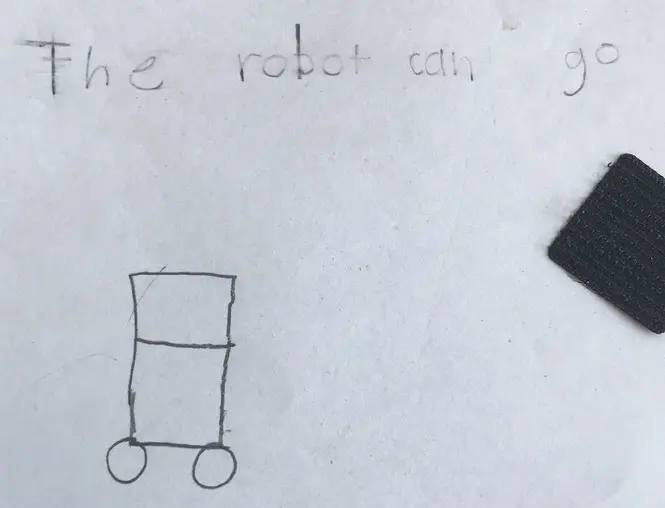
Quite a few years ago in child years I asked my daugter to help me design a robot for the house. Using her drawings and other input as a basis for a two wheeled tank drive robot, I created a what a might be described as derivative design using 6 inch PVC Pipe and and PVC end cap for a body.
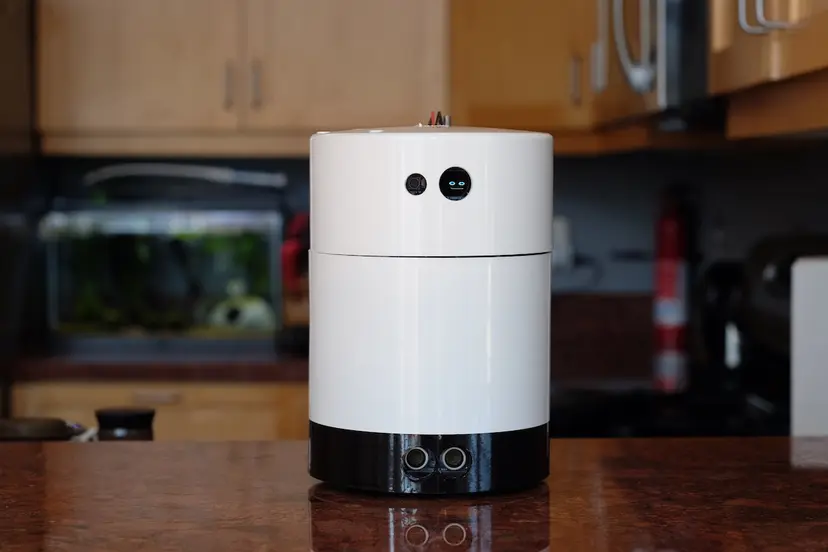
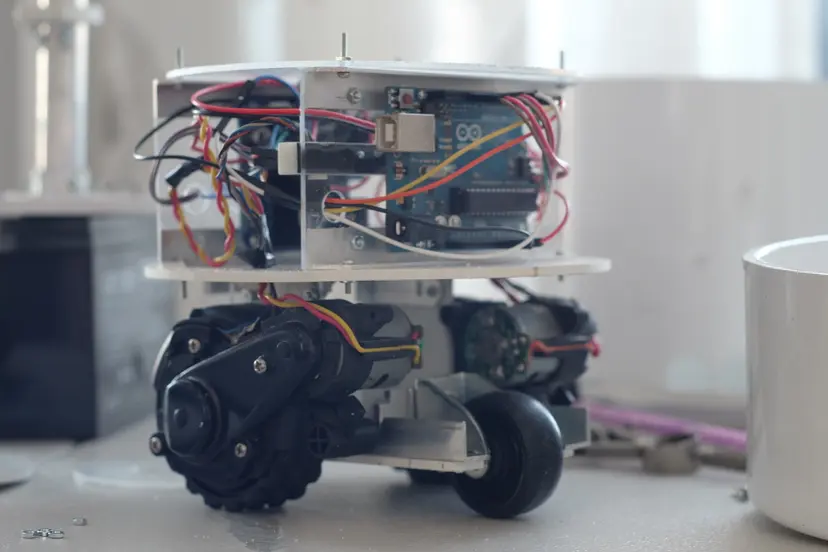
Inside this pipe-like form I build a tank drive using first generation Roomba motors controlled by an Arduino Uno and a cheap motor controller. Sensing for the body included:
- Ultrasonic Distance Sensor
- Motor encoders at each wheel
For the brain of this bot I used a Raspberry Pi 3 to:
- Animate a tiny OLED screen for the face
- Listen for keywords such as it's own name 'PVC'
- Perform Voice to Text
- High level navigation and control functions
- Text to speech and sound effects
This all worked good-enough, so I put it on a shelf and to some degree forgot about it for about 8 years.
After removing the the Brain
Somewhere along the line I removed the Raspberry Pi from this project and used it for something else. I didn't expect to ever do anything with this project again.
And yet, one day I was looking at it sitting in the corner of my office and the idea occured to me that I might be able to use it explore an idea I had about making the lowest powered AI robot. Recently I had been working with the ESP32-CAM, a low-cost ($10), super small ESP32 dev board with a microSD slot, Wi-Fi, Bluetooth and most importanly an OV2640 camera module. While customizing the example web-server code for the device I realized that I could use it to control other on-device functions, potentially other devices over Wi-Fi and easily access data off device.
Here is some cool things you can do with the ESP32-CAM
- Stream Video to another device
- Capture Images via an HTTP endpoint
- Access APIs on the internet
- Control other MCUs connect via serial port, i2c or Canbus
- Save images and video to SD Card
Creating some new parts
I used Fusion 360 to create some new parts that would allow me to give the robot a few new features:
- 3 way microswitch bumper to sense obsticles
- A battery box for a LiPo battery so it can be self powered
- A gimbal so the camera can tilt. The body already has a built in panning servo.
Why the ESP32Cam works
It's the Wifi, Camera and Serial port. The previous robot had VTT and TTS systems, but I wanted to focus creating a new web based remote control system. The ESP32-CAM camera example project has a C++ file that handles all the UI for the build in camera, so I used that as the basis for my project. I removed the original code for camera settings control and replaced it with code to send the control messages for the Arduino Uno over the serial port. I also updated the old Arduino Uno Controller code to add the new tilt gimbal and front bumper to the communication protocol between it and the ESP32-CAM.
Just use the API, it's way better, self hosting is slow
Running the controller interface via the on device webserver works, but it is not very fun. Often the web controller won't load in the browser or there are long delays in sending commands to the device. When hacking around with the web control app, I discovered that calling the API endpoints directly was very responsive. This probably explains why one of the examples for serving HTML from the device has the app pre-compressed.
Building an external webapp to control the robot
There's a quick and easy way to prototype web services and UI in Python. You can create a flask server in a single file and run it from the command line to serve the UI and communicate with APIs on the web. In my particular situation the API is running on the ESP32-CAM attached to my home network. I protyped a quick and dirty python script to host the interface and forward commands to the robot.
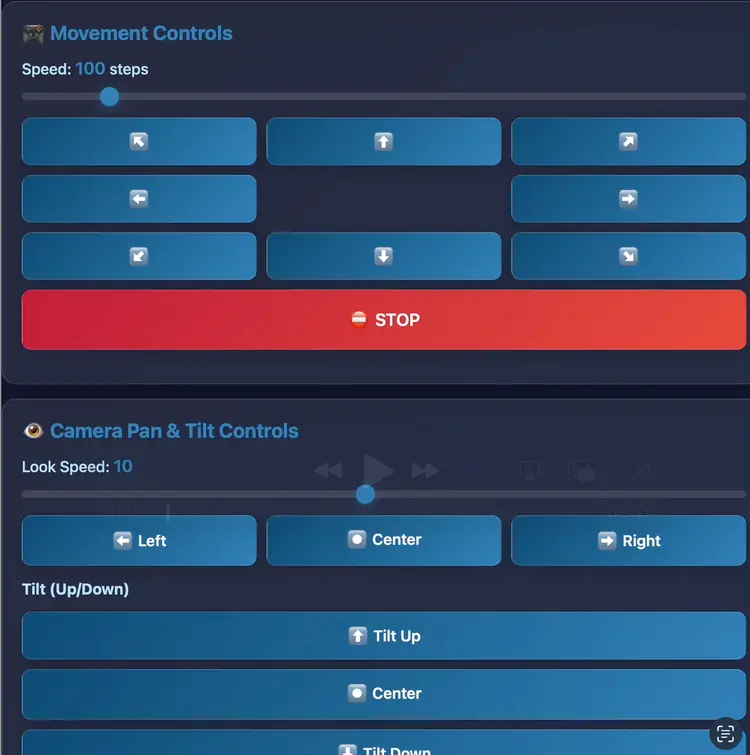
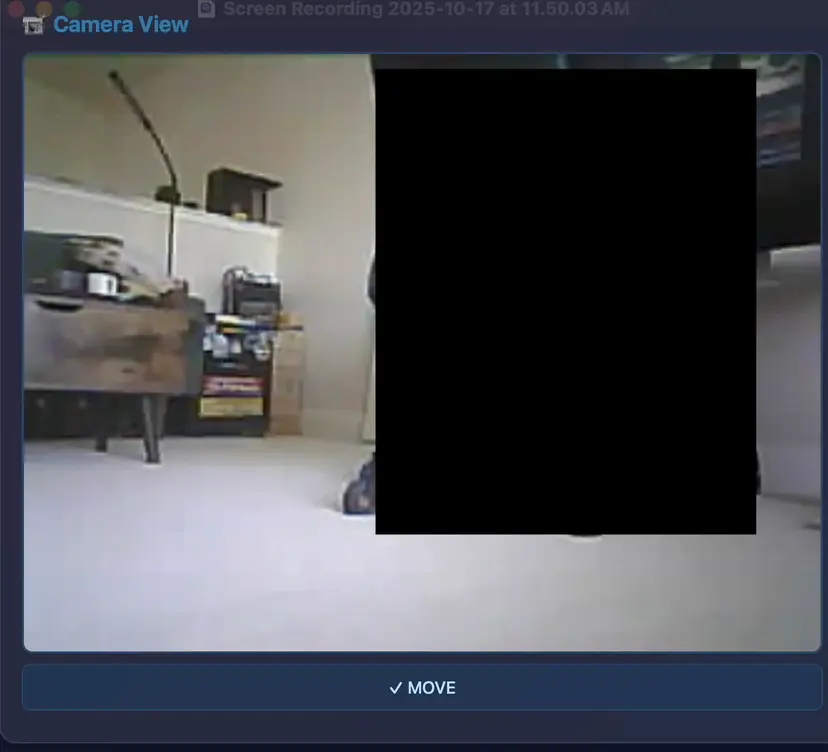
It's a vanilla HTML, CSS, JS app. You can tap the controls to move the robot and get real-time feedback in the camera view window.
Could we use a pre-trained multimodal LLM to control the robot
Yes, most definately, and it was suprisingly easy to add AI into the control loop. I think that with just about any multimodal LLM, you can prompt with an image and text. Additionally, you can set a system prompt to give the LLM some context on what need it to do with the images and text that you send to it.
That works, so what can we do with it?
I figured that if I created a system prompt that contains all the commands that the robot can respond to, and additionally told it what we're up to with the robot, we can embodify a multi-billion parameter pre-trained model in our recycled rover.
You are controlling a wheeled robot with a camera.
    Analyze the image and decide what the robot should do next.

    Available commands:
    - MOVE_FORWARD: {"action": "move", "left": 200, "right": 200}
    - MOVE_BACKWARD: {"action": "move", "left": -200, "right": -200}
    - TURN_LEFT: {"action": "move", "left": -150, "right": 150}
    - TURN_RIGHT: {"action": "move", "left": 150, "right": -150}
    - STOP: {"action": "stop"}
    - LOOK_LEFT: {"action": "look", "pos": 45, "tilt": 50}
    - LOOK_RIGHT: {"action": "look", "pos": 135, "tilt": 50}
    - LOOK_CENTER: {"action": "look", "pos": 90, "tilt": 50}
    - LOOK_UP: {"action": "look", "pos": 90, "tilt": 30}
    - LOOK_DOWN: {"action": "look", "pos": 90, "tilt": 100}
    - LOOK_UP_LEFT: {"action": "look", "pos": 45, "tilt": 30}
    - LOOK_UP_RIGHT: {"action": "look", "pos": 135, "tilt": 30}
    - LOOK_DOWN_LEFT: {"action": "look", "pos": 45, "tilt": 100}
    - LOOK_DOWN_RIGHT: {"action": "look", "pos": 135, "tilt": 100}

    Rules:
    1. Safety first - if you see an obstacle close ahead, STOP or TURN
    2. Explore the environment by moving forward when clear
    3. Look around (including up and down) before making turns
    4. Use LOOK_DOWN to check for floor obstacles or edges
    5. Use LOOK_UP to check for overhead clearance or elevated objects
    6. Avoid getting stuck in corners
    7. Keep movements smooth and deliberate
    8. IMPORTANT: Check your recent action history - if you're repeating the same actions, try something completely different
    9. If stuck in a loop, do something unexpected like backing up or turning the opposite direction

    Respond with ONLY a JSON object containing your decision and brief reasoning.
    Format: {"action": "move/look/stop", "params": {...}, "reasoning": "why"}
All we have left to do is parse the JSON that's returned, and we can run a nice loop:
- The Server captures a Frame from the ESP32-CAM
- It compiles a prompt from the current user / robot goal, system prompt and state
- The multi-part message with the image, system and user prompt is sent to the OpenAI API using gpt-4o model
- JSON is received, parsed and if successfully interperated, the server sends the commands to the ESP32-CAM
- The ESP32-CAM API calls the sensing and motion API on the Arduino UNO via its Serial Port
- And repeats the process
All the interesting code for interacting with the OpenAI API happens on the server, as it is acting as a proxy between the Robot and multimodal model.
You can check out the python server here:
AI UI
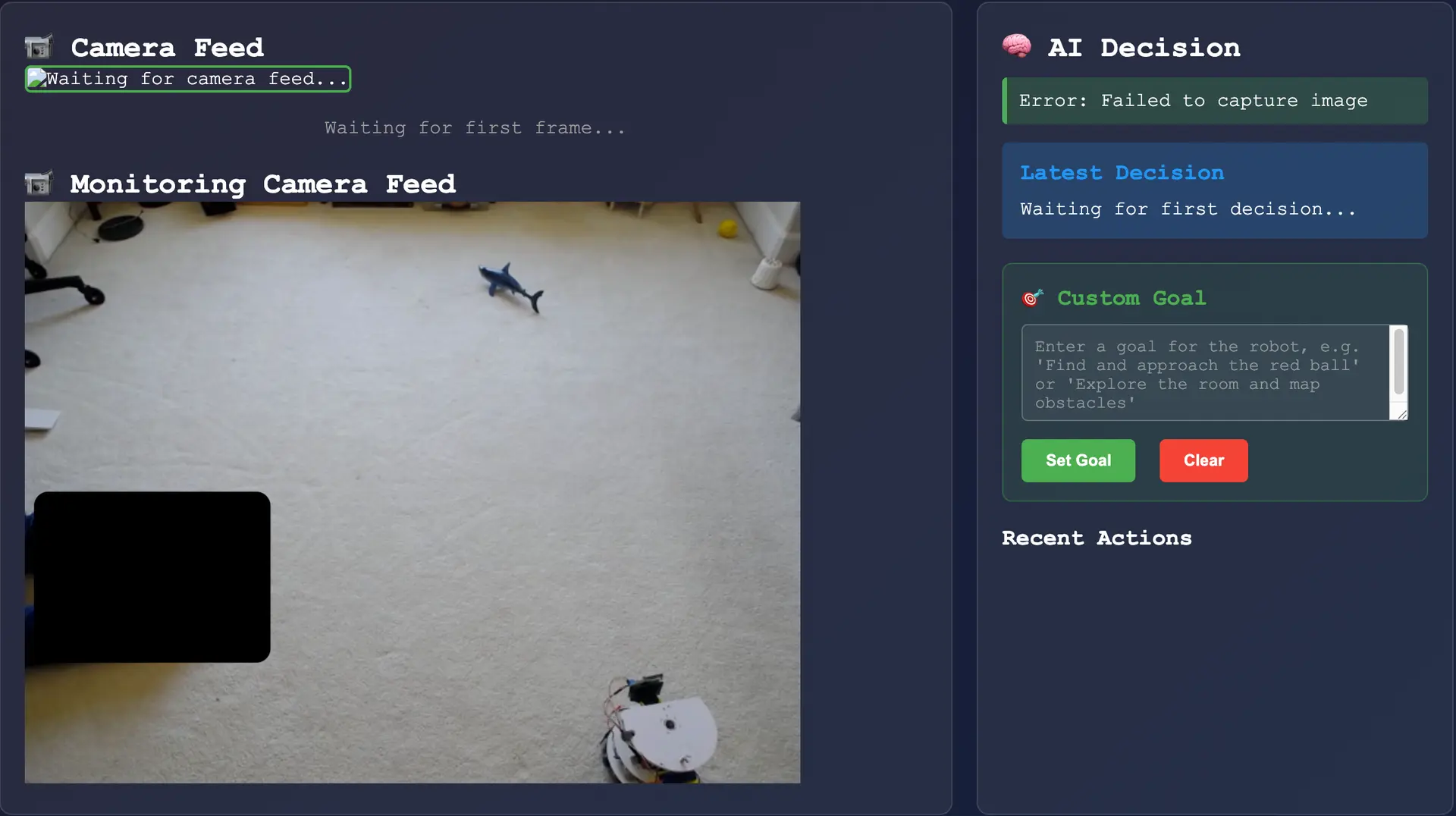
On the right side of the image is the AI decision panel, in order it shows the following:
- Pending or error states
- The last decision made by the robot.
- The current and editable robot goal.
- A list of recent actions that the system will take.
Letting it loose to find sharks in my office
This is a short and unfortunately soundless video I put together of the robot exploring my office and finding a couple of small objects. It's been sped up a little bit for brevity. It's still fun to see it work.
This video is normal speed but also soundless, raw and unedited.
What did I find out?
It's a still just a chatbot, with a robot in the loop. There is one caveat, the last prompt just keeps sending itself over and over again. I think it's kind of fun to watch it move around talk to itself the current goal and what it plans to do about it.
Some further ideas to come back to
I'd love to see what the pretrained model would do if I attached an arm to the robot. Could I get it to grab at things, move things around, or wave Goodbye?